A Webstarted tool · macOS & Windows · 100% local

Anonymize your docs
before pasting them into AI.

When you drop a document with names, IDs and addresses into a public AI, that data leaves your studio. Anonimizar strips the sensitive data on your own machine — 100% local, no cloud — so you can use ChatGPT or Claude without risking confidentiality. What used to be hours of redacting by hand is now seconds.

Try it free with 15 files, no license · Perpetual license from USD 99.
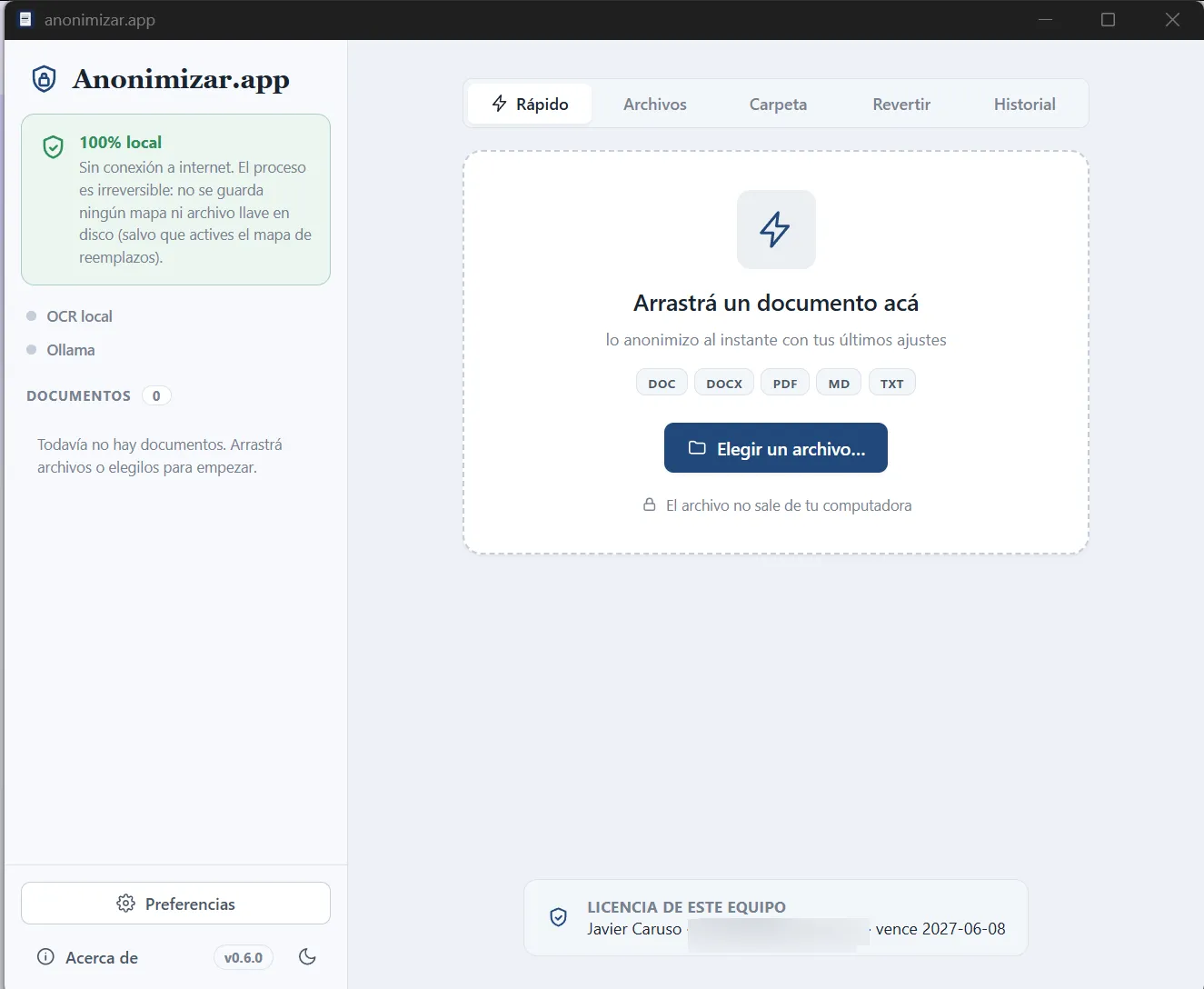
Anonimizar's main window: drop a document to anonymize it, with a 100% local badge and DOC/DOCX/PDF/MD/TXT support.
100% local
No cloudEverything runs on your machine
Trained on SpanishNames, IDs, addresses & more
Consistent tagsSame person, same label throughout
Word & MarkdownExport ready to review & share
Work with AI, without leaking data

Use ChatGPT or Claude on your documents
without breaking confidentiality.

You want an AI to summarize a case file or draft a document, but you can’t upload your clients’ data. Anonimizar is the safe bridge: the AI works on tags, never on real people.

1 You anonymize

The app swaps names, IDs, addresses and more for consistent tags.

On your machine
2 You send it to the AI

You paste the tag-only text into ChatGPT, Claude or whatever you use.

The AI sees only tags
3 The AI answers

It summarizes, drafts or analyzes — working on tags, never on real people.

No personal data
4 You rehydrate

The app puts the real names back into the AI’s reply with your local map.

On your machine

The real data never leaves your machine: the AI sees only tags. Local, irreversible by default, no subscription. (Rehydrating requires turning on the replacement map.)

What it detects & replaces

Every identifiable value, one consistent tag.

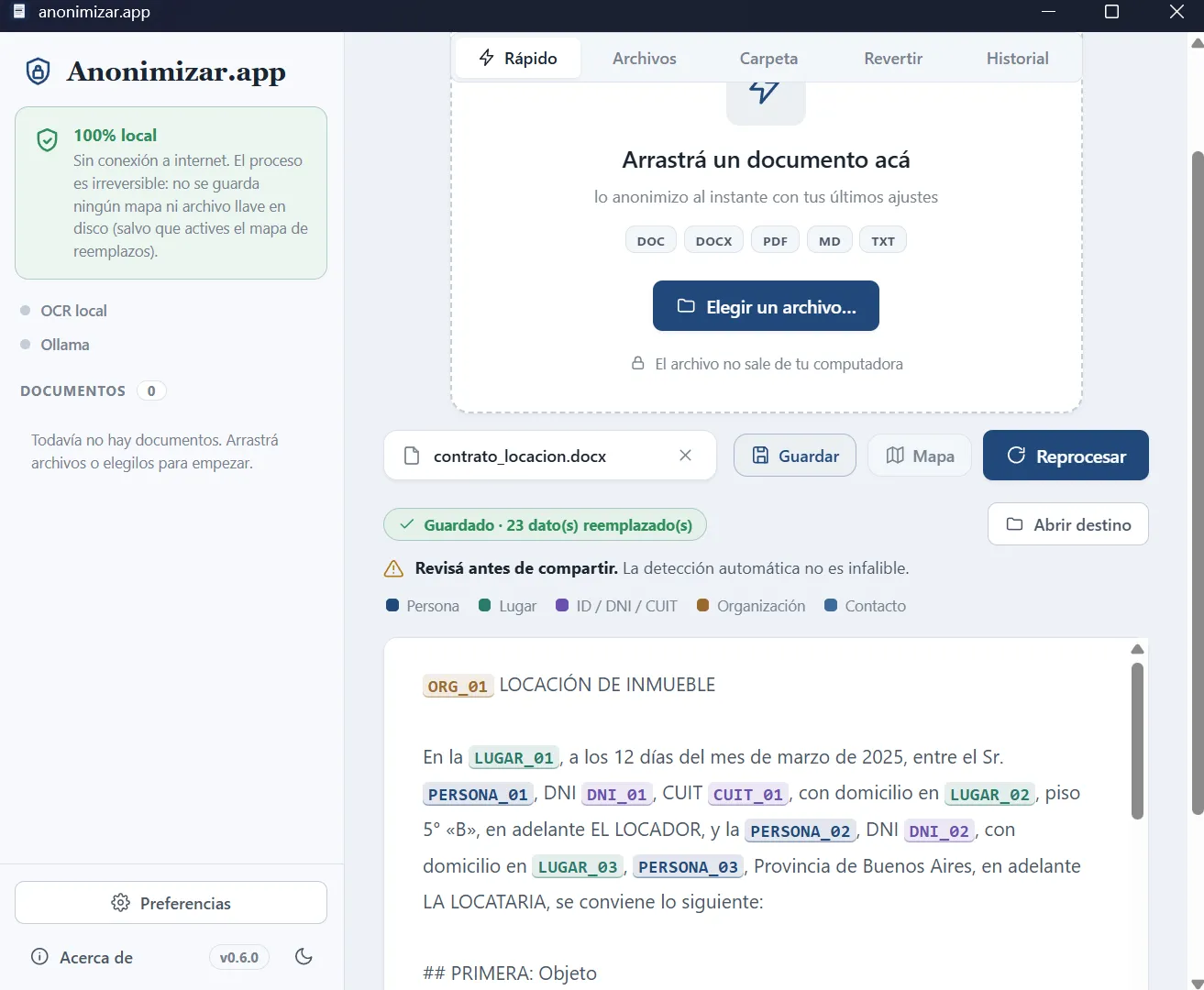
The same person is always the same tag across the whole document — the text stays readable and coherent. If “Juan C. González” appears ten times, all ten become PERSONA_01. The document still makes sense; the people don’t. Turn it on and it redacts amounts and percentages too.

  • Trained on Spanish legal writing
  • Numbered, consistent tags per entity
  • Every replacement highlighted for review
In action

Real screens, real work.

Straight from the app, unretouched.
Advanced features

More power when you need it.

All optional, all local. Turn on only what your workflow needs.

Anonymize

Quick mode

Drop a document and it’s anonymized instantly with your last settings — one tap decides whether you save it or just look.

Human validation

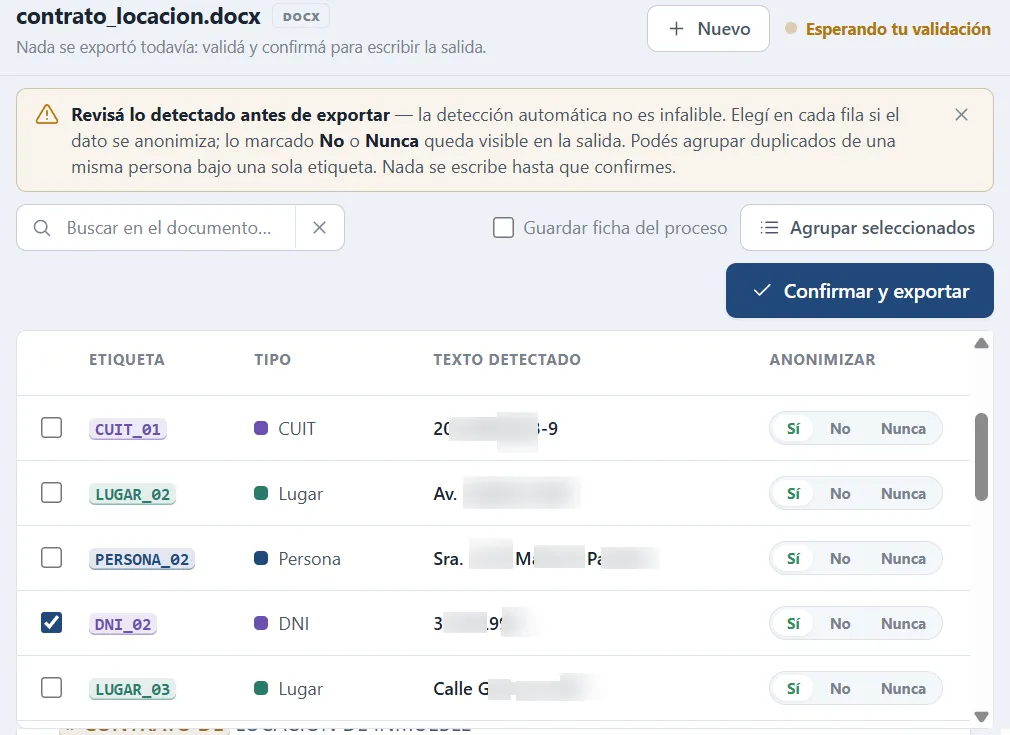
Review everything detected, row by row, before exporting: Yes / No / Never per value, and group a person’s variants under one tag. Nothing is written until you confirm.

OCR for scans

Pull text out of scanned PDFs or photos of documents so they can be anonymized too. Runs on your machine.

Local AI review

A second pass with an AI running on your machine hunts for anything that slipped through. Still 100% local.

Output & control

Markdown or Word

Export a lightweight .md or a .docx to open in Word — pick the format that fits how you’ll keep working.

Highlighted swaps

Every replacement is bold in Markdown and yellow-highlighted in Word, so you see at a glance what was redacted and what was left intact.

History & reprocess

A local history — name, date and result, never the content — to find a document and reprocess it in one click. Can be turned off.

Round-trip with AI

Reversible map

Opt-in: generate the re-identification key (a confidential CSV) under your responsibility. Off by default — no map, no way back.

Revert AI replies

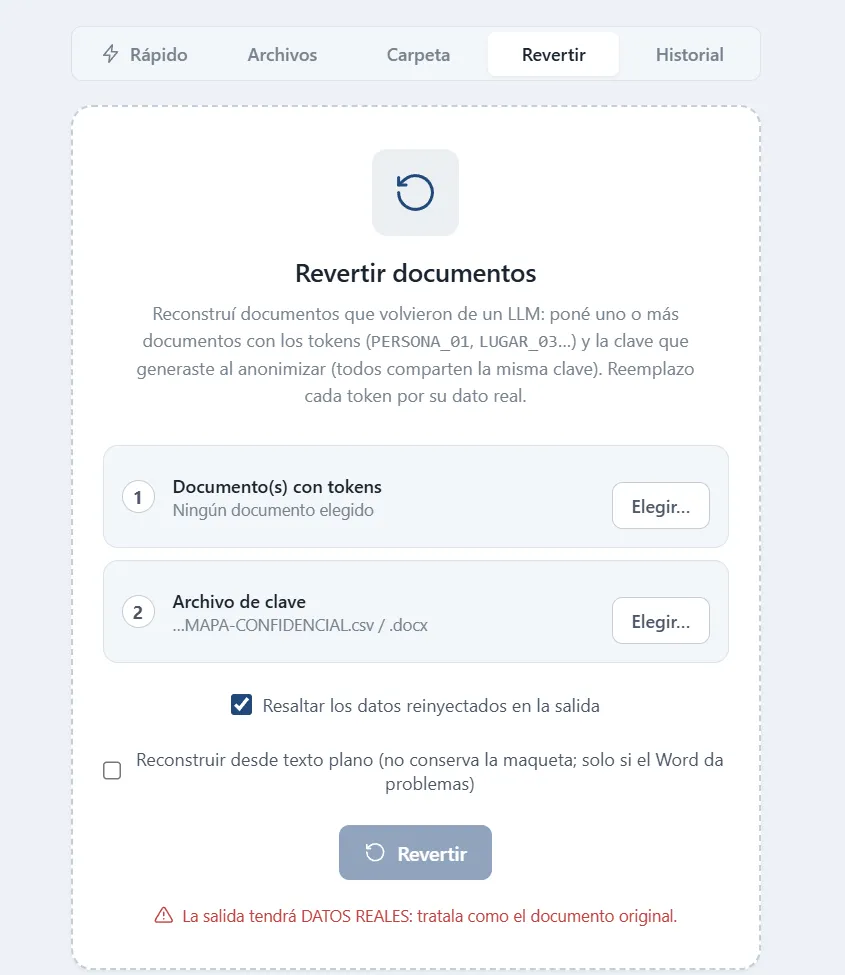
The AI answers in tags; Revert re-injects the real data using your key — even in batch. Keeps the layout in Word.

For studios & power users

Folders & batch

Process whole case files: entire folders and batches (Studio plan).

Audit record

A process audit sheet for your records (Studio plan).

Shared exceptions

A studio-wide exception dictionary to keep criteria consistent across the team (Studio plan).

CLI

A CLI to fold anonymization into your scripts and batch flows. Same local engines (spaCy · Presidio · Ollama), no GUI.

Built for confidentiality

Native, offline, and yours forever.

No telemetry, no internet connection. Built for information under professional secrecy and Argentina’s Personal Data Protection Act (Law 25.326). A one-time purchase, no subscription — it works offline from the first minute.

No cloud, no telemetryFiles never travel to any server
Irreversible by defaultNo map is saved unless you opt in
Native macOS & WindowsIts own installer for each system
Perpetual licenseOne-time purchase, a year of updates

Install Anonimizar

Free trial: 15 files, no license. macOS 12+ and Windows 11.

Perpetual license from USD 99 · See plans on anonimizar.app ↗