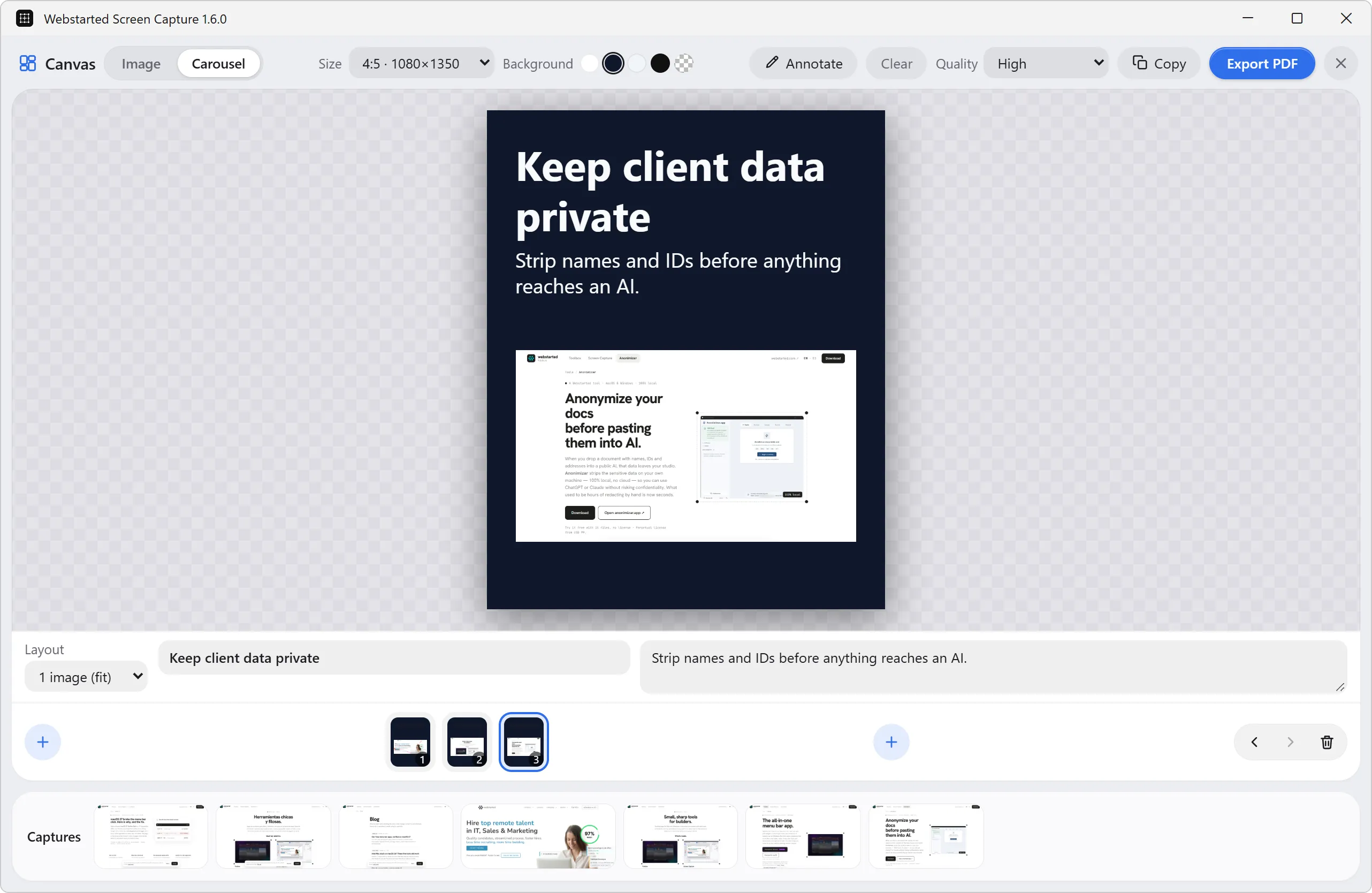
Canvas with PDF export
Lay several captures out together and export them as one PDF, ready to send.
 webstartedTools
Search your screenshots by the text inside them, turn captures into one PDF and automate the work you repeat every day. Screen Capture Pro, for Apple Silicon Macs and Windows.
Charged by Webstarted through Stripe. One-time purchase, no account.
License emailed within minutes. No subscription. Use it on all your computers.
The launch price ends in
The launch price ended on December 1.
Works with the direct download and the Microsoft Store edition. Mac App Store purchases are separate, and that edition has fewer features.
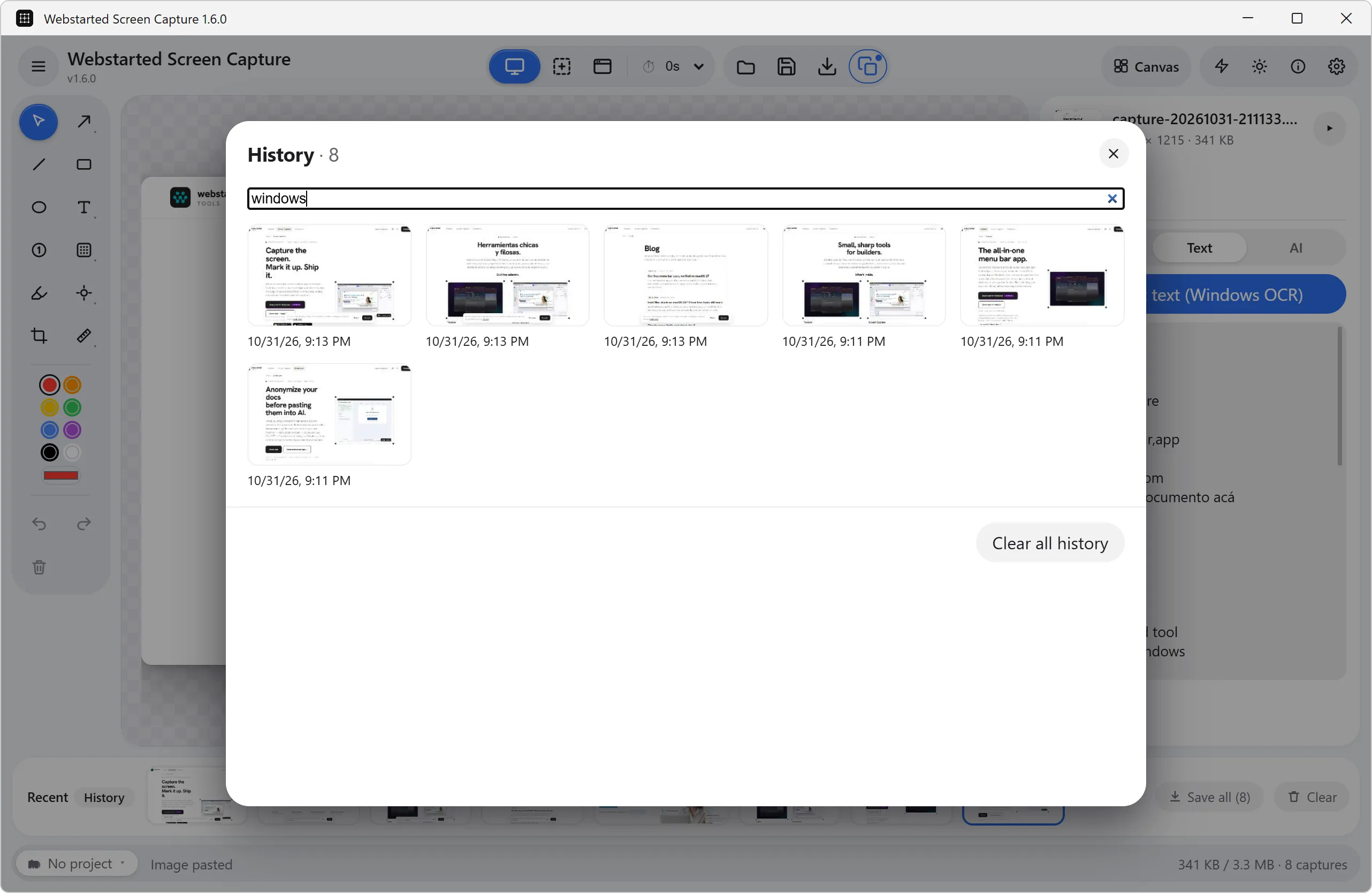
Try the free version →Every capture is kept on your computer with its text recognized. Type “invoice” or a client’s name and it shows up.
Lay several captures out together and export them as one PDF, ready to send.
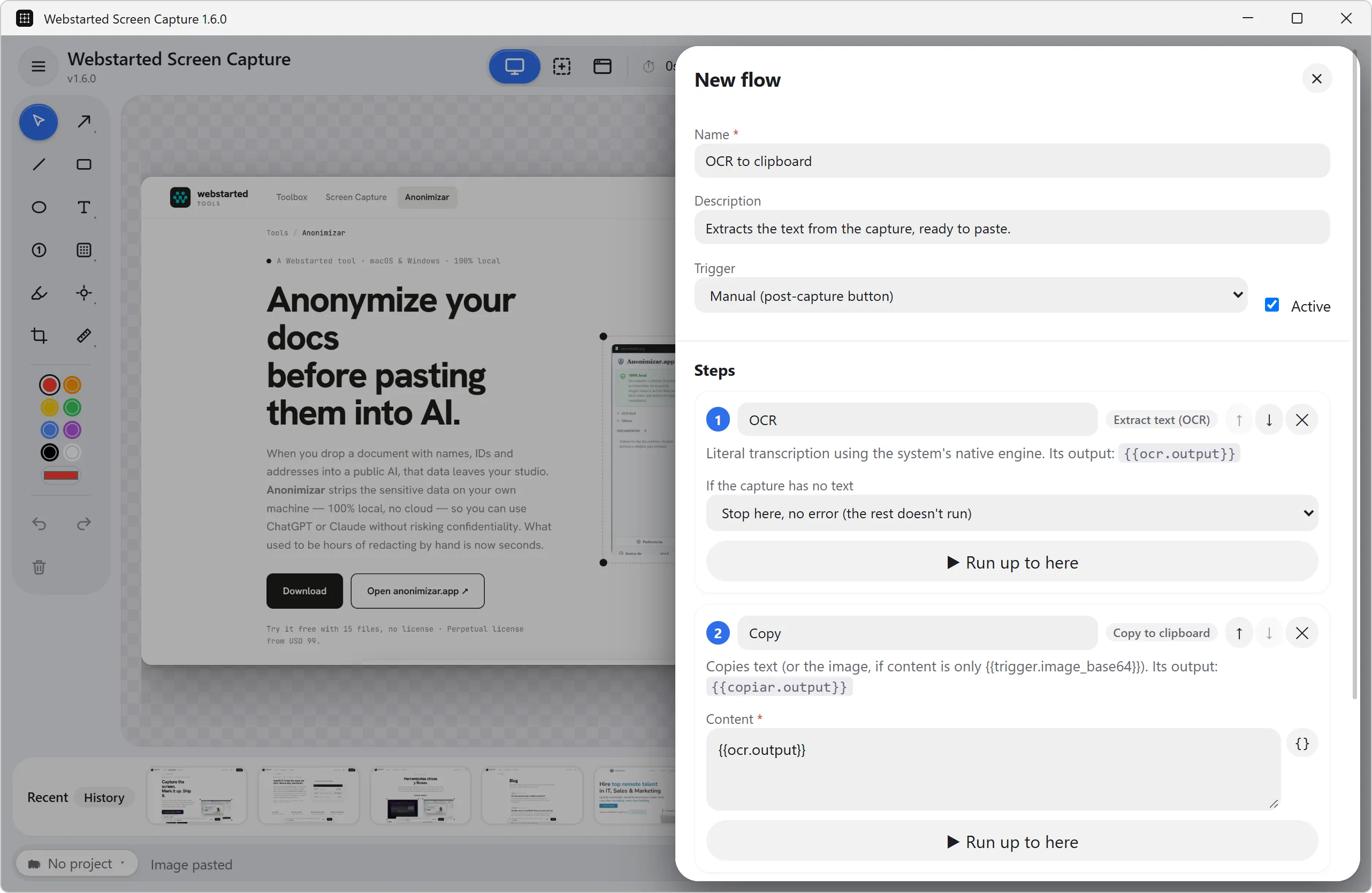
Chain capture, OCR, save and a webhook into one action.
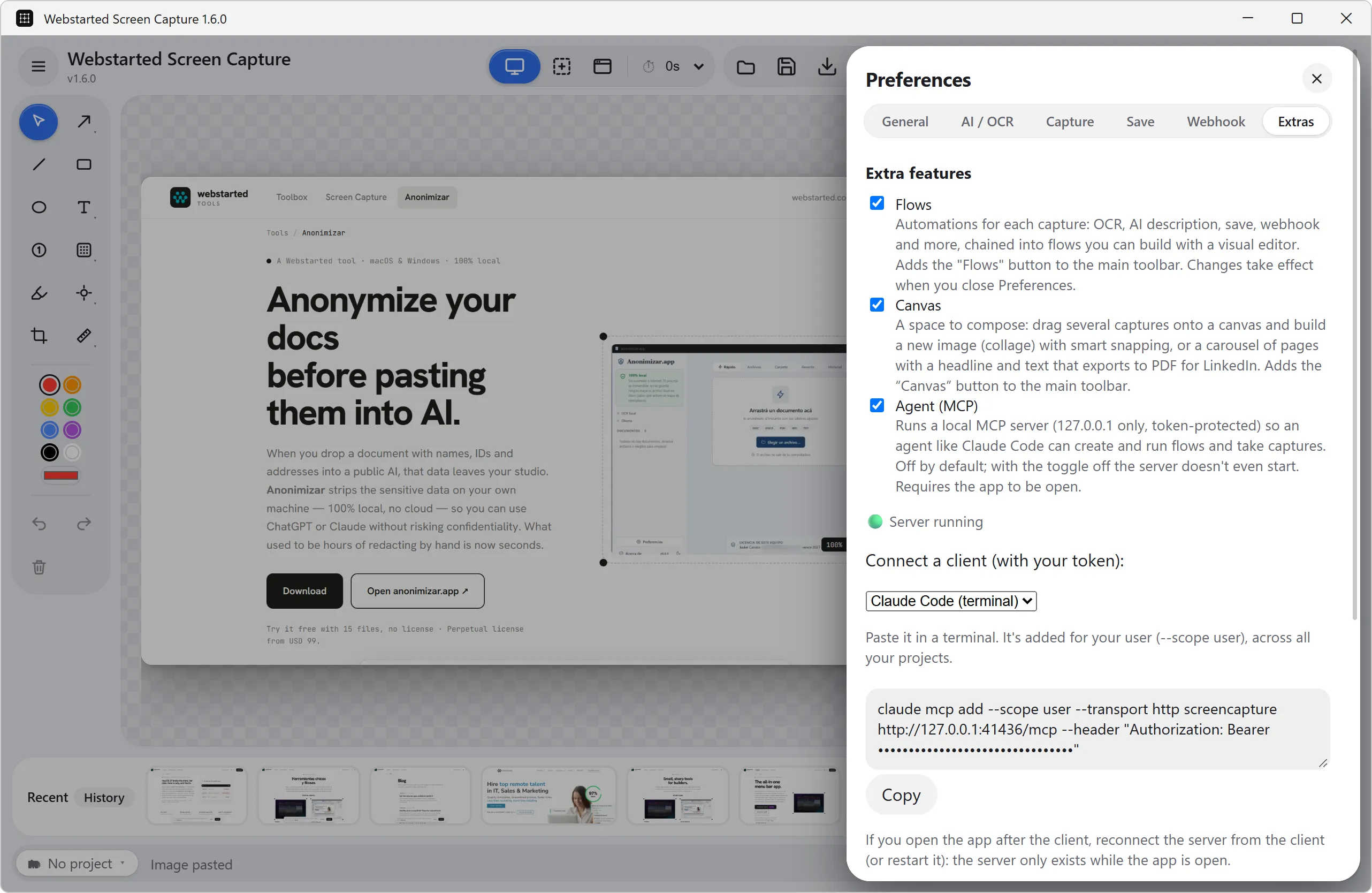
Let Claude, Cursor or VS Code capture and read the text for you, and describe captures with your own Ollama models.
Capture, annotation, offline OCR, blur and the ruler are all in the free app. Buy Pro when you need it, right from the app.


The Mac App Store edition leaves out Canvas & PDF, Ollama AI, flows, webhooks, local network sharing and the MCP server. The direct download has all of it and updates itself.
No. You pay US$9.99 once and the license never expires.
The Pro price goes to US$14.99. If you already bought it, nothing changes: your license stays the same.
All of yours, Mac or Windows. The license has no limit on computers.
By email, within minutes, as a .wsclic file. You install it from the Pro sheet in the app.
There, Pro is bought inside the app through the App Store and does not go through this page. The Mac App Store edition leaves out Canvas, Ollama AI, flows, webhooks and the MCP server.
Then US$14.99. What you already bought stays the same.
Charged by Webstarted through Stripe. One-time purchase, no account.