
Your new tab,
made collage.
Collage Home replaces Chrome’s new tab page with a board of the links you actually use. Rotated text, a color per letter or a rainbow, stickers, zones and to-do lists, and the same collage on every computer where you use Chrome.
Free · No account · English and Spanish
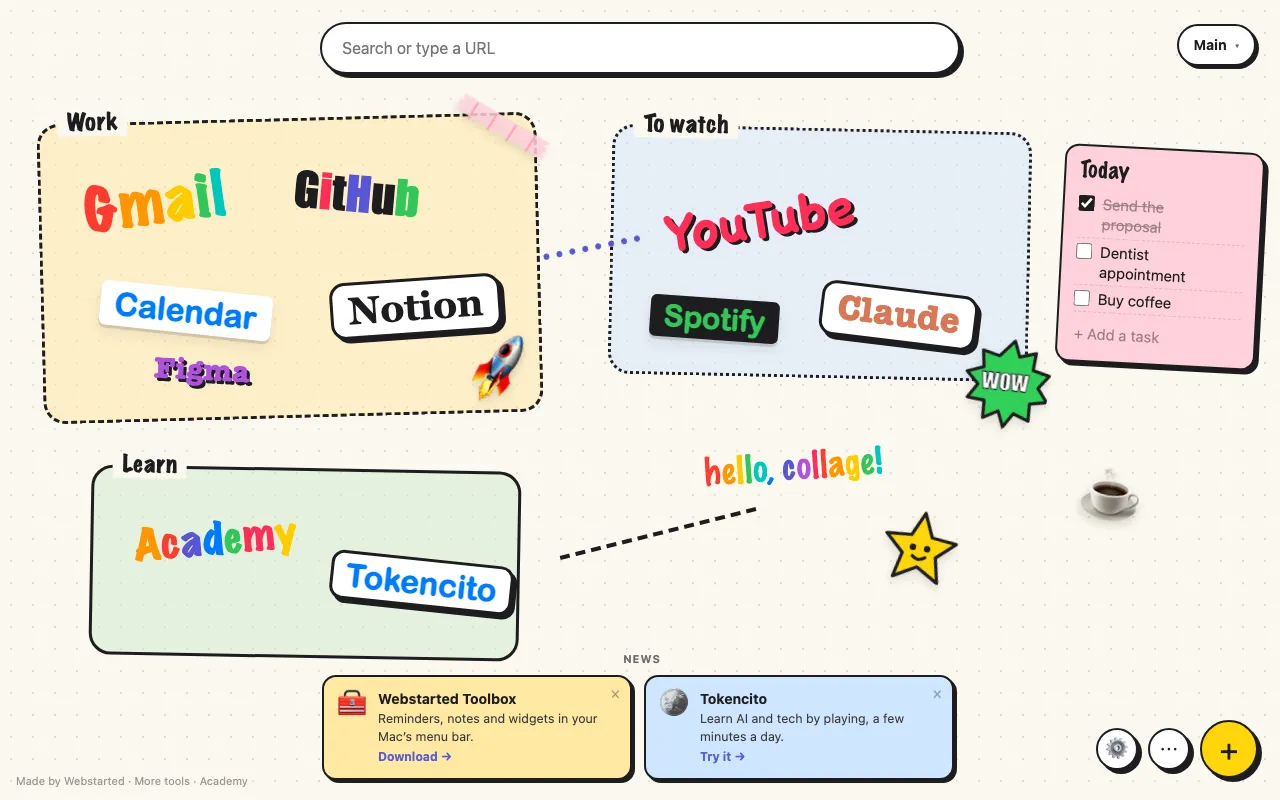
A new tab page for Chrome that looks like you
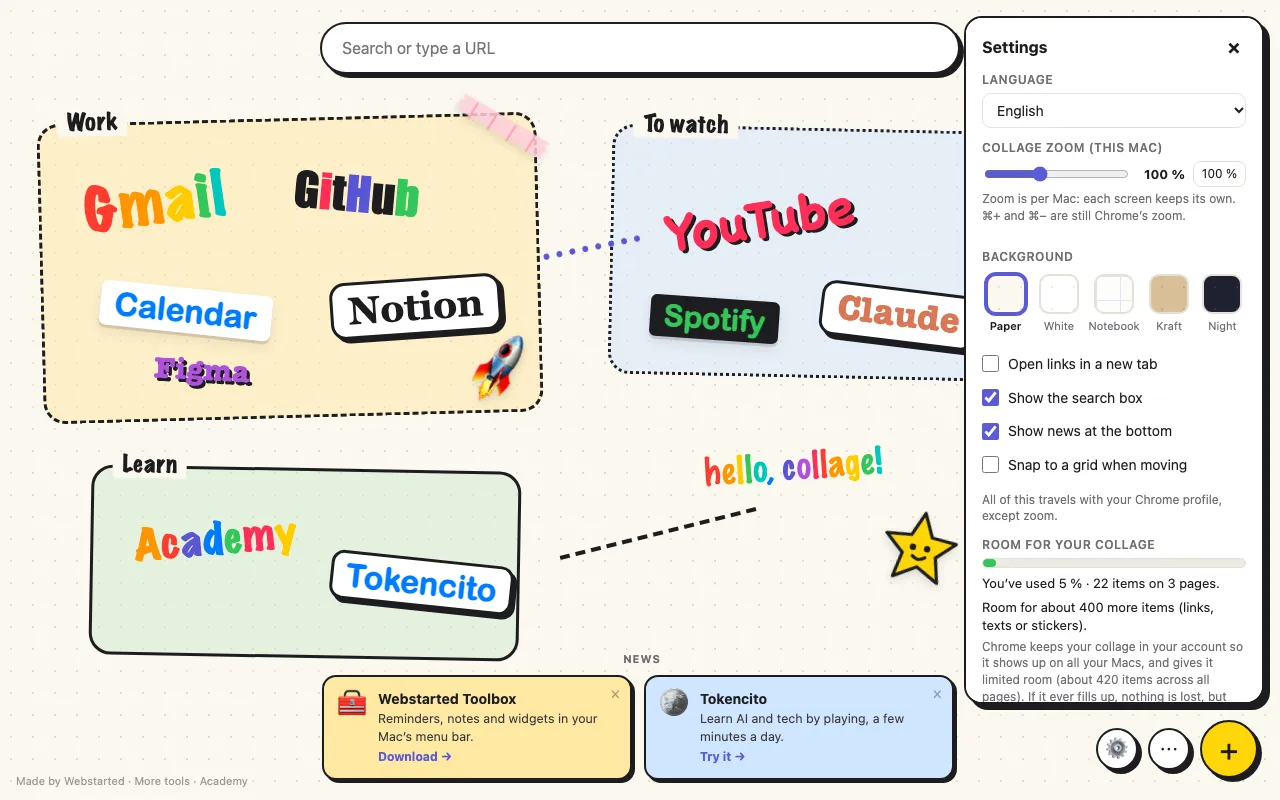
Instead of a grid of identical tiles, every link looks the way you want. Group things in zones, connect them with dotted lines, keep a short to-do list next to your links, and split it all into pages.
- Links with style: rotated text, fonts, one color per letter or a rainbow, labels, shadows and outlines
- Stickers and text to mark what matters (or just for fun)
- Zones with a title: moving a zone moves everything inside it
- Dotted lines to connect one thing with another
- To-do lists with a title, right on the board
- Several pages (Work, Personal, Study…) in the same new tab
- Search box that uses your default search engine
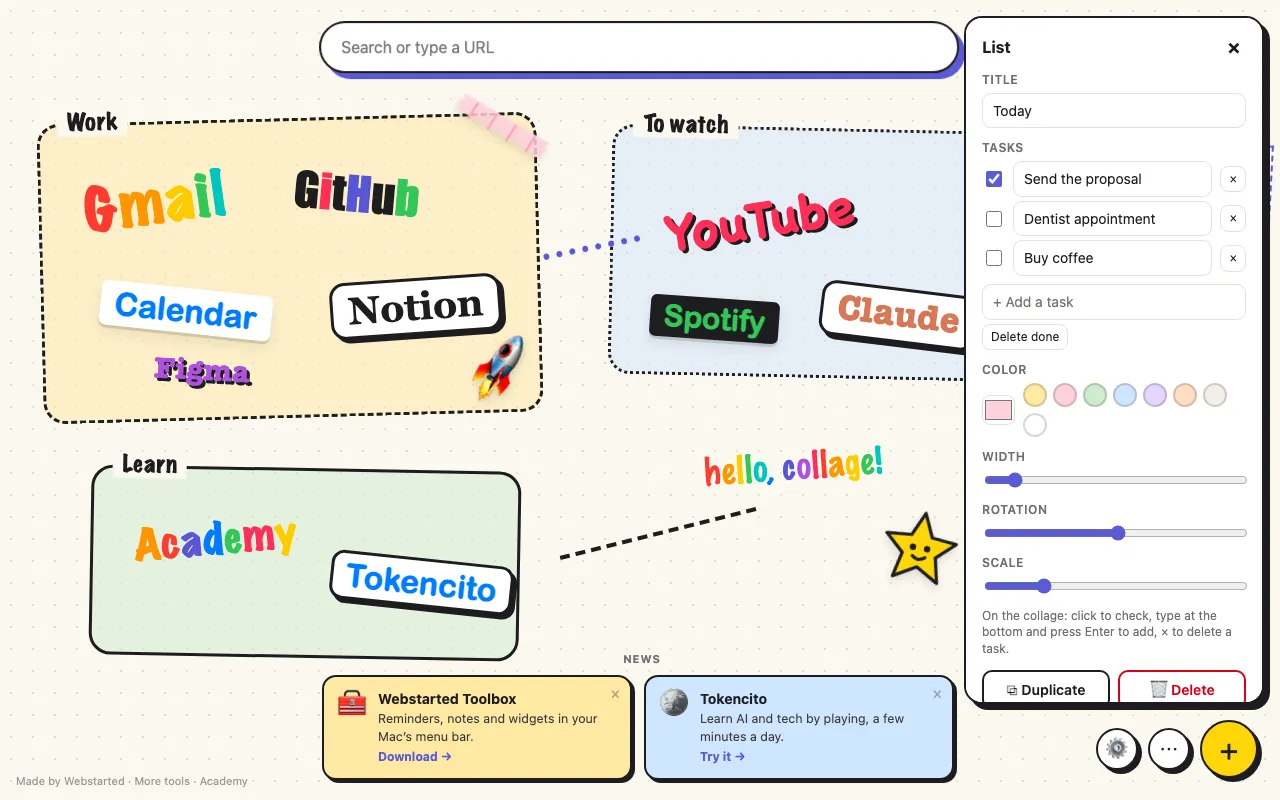
Double-click and make it yours Every item opens an editor with its own options: the text and URL of a link, its font and colors, the tasks of a list, the color of a zone. Width, rotation and scale are sliders, so nothing needs to be perfect on the first try.
Several pages, every computer
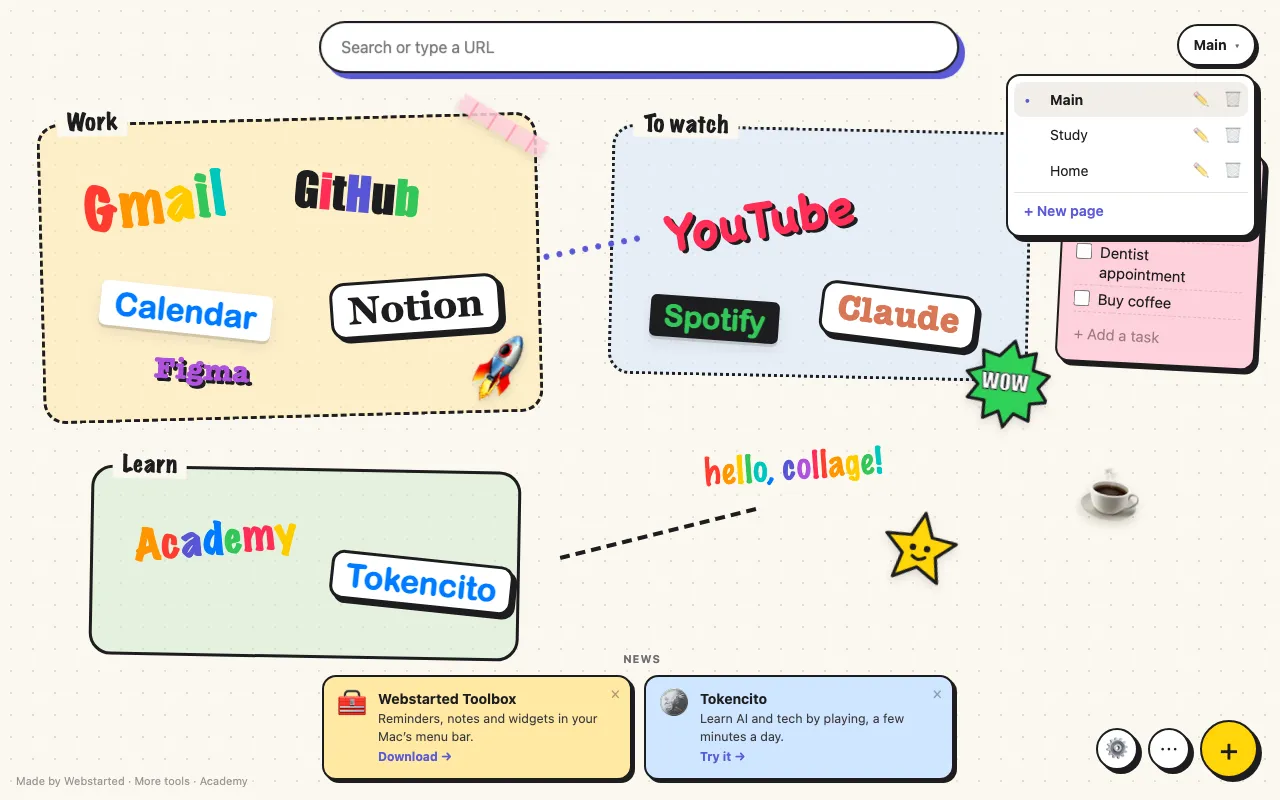
Keep one page for work and another for home, and switch from the menu at the top right. Your collage is saved in your Chrome profile, so when Chrome sync is on, the same pages show up on every computer where you sign in.
- Create, rename and delete pages from the top right menu
- Syncs through Chrome sync, with a local copy on each computer
- Zoom is set per computer, so a laptop and a big monitor each get their own
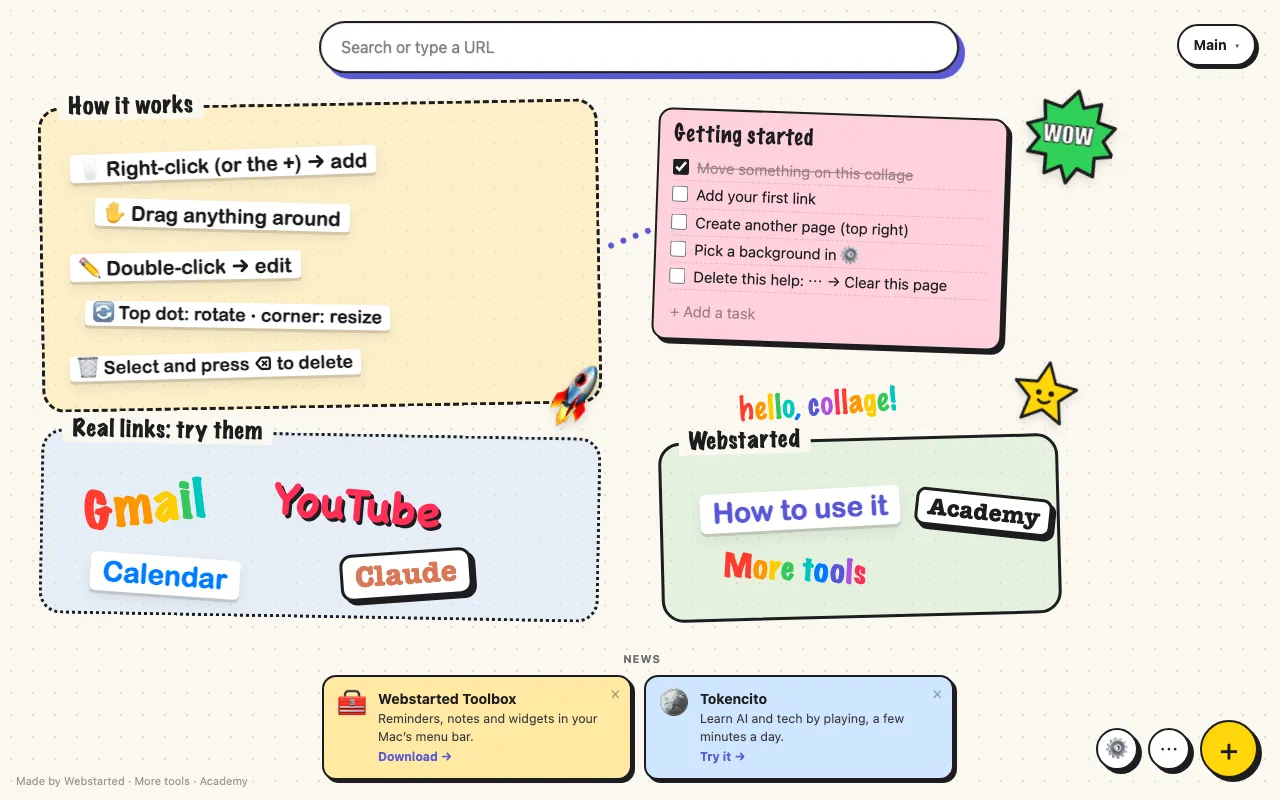
How to use Collage Home
After installing it, open a new tab: the help comes ready as a collage, with real links you can try. These are all the controls.
-
Add
Right-click anywhere on the board, or press the + button, and pick a link, text, sticker, zone, line or list.
-
Move
Drag anything around. Moving a zone carries along everything inside it.
-
Edit
Double-click an item to open its editor: text, URL, font, colors, label, shadow and outline.
-
Rotate and resize
Grab the dot on top to rotate an item and the corner to make it bigger or smaller.
-
Delete
Select an item and press ⌫ (Backspace or Delete).
-
To-do lists
Click a task to check it, type at the bottom and press Enter to add one, and × to delete it.
-
Pages
Switch, create, rename or delete pages from the menu at the top right.
-
Settings
The ⚙️ button: language, collage zoom (per computer), background, search box, news, links in a new tab and snap to grid.
-
More
The ⋯ button: Clear this page, Show the help again, and export or import your collage as a JSON file.
Private by design
Collage Home is a page that lives in your browser. There is nothing of ours on the other side.
Questions about Collage Home
How do I change the new tab page in Chrome?
Chrome does not let you design its new tab page, but an extension can replace it. Install Collage Home and every new tab opens your collage instead. To go back to Chrome’s own page, turn the extension off or remove it from chrome://extensions.
Is Collage Home free?
Yes. It is free, with no account, no ads and no paid version.
Does my collage sync between computers?
Yes, through Chrome sync. The collage is saved in your Chrome profile, so it shows up on every computer where you sign in to Chrome with sync turned on. Zoom is the exception: each computer keeps its own.
How many links fit?
Chrome gives synced extensions limited room: enough for about 400 items across all your pages. Settings show how much you have used. If it ever fills up, nothing is lost, but new things do not reach your other computers until you delete something.
Does it read my bookmarks or my browsing history?
No. It only asks Chrome for two permissions: storage, to save and sync your collage, and search, for the search box. It cannot read your bookmarks, history, tabs or the content of the pages you visit.
Can I back up my collage?
Yes. In the ⋯ menu, Export JSON downloads your whole collage as a file, and Import JSON brings it back, on the same computer or another one.
Which search engine does the search box use?
Your default search engine, the same one Chrome uses in the address bar. Collage Home does not pick one for you.
Make your new tab yours
Free, no account, and ready in a minute: open a new tab and start moving things around.
Add to Chrome